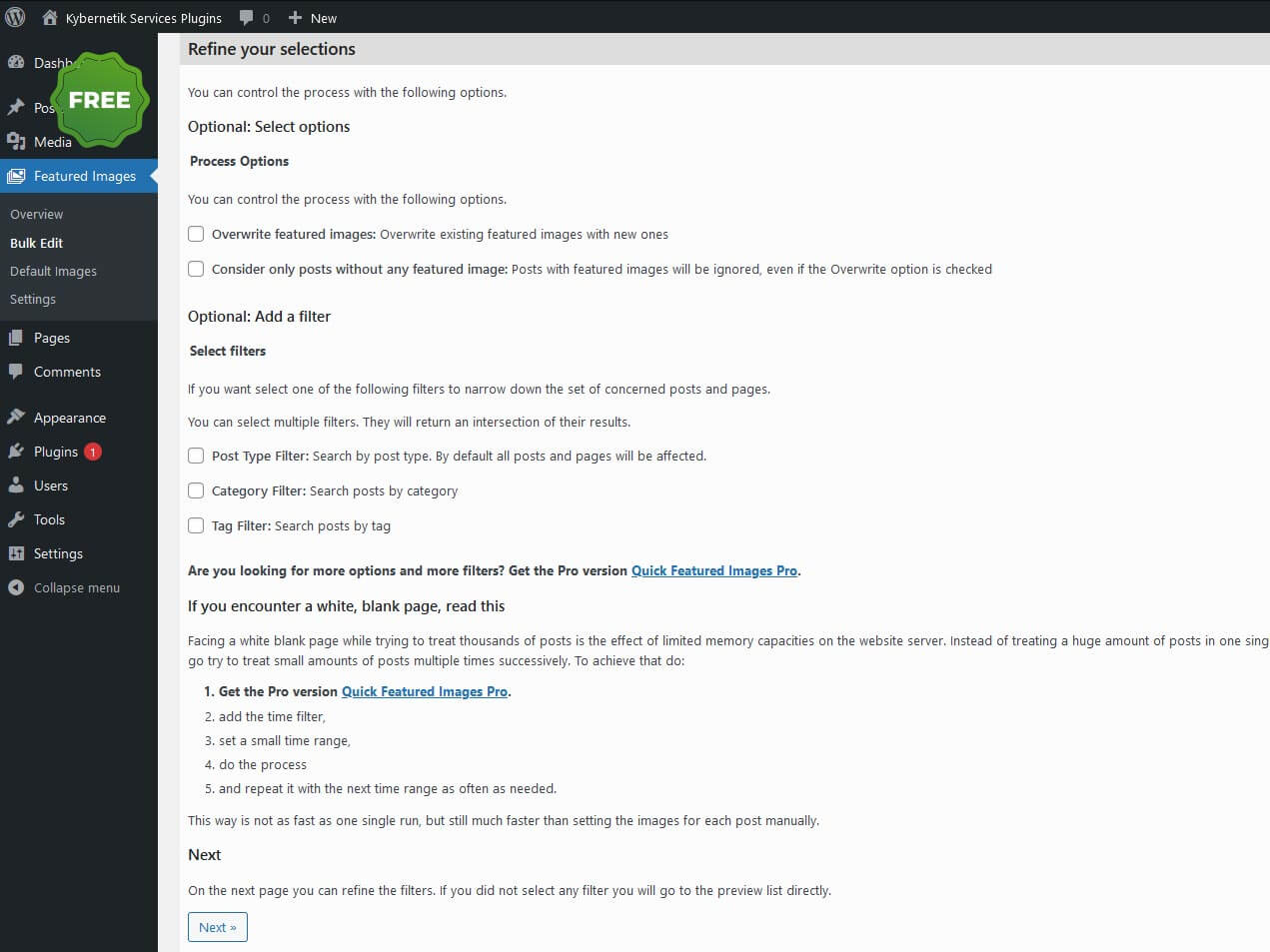
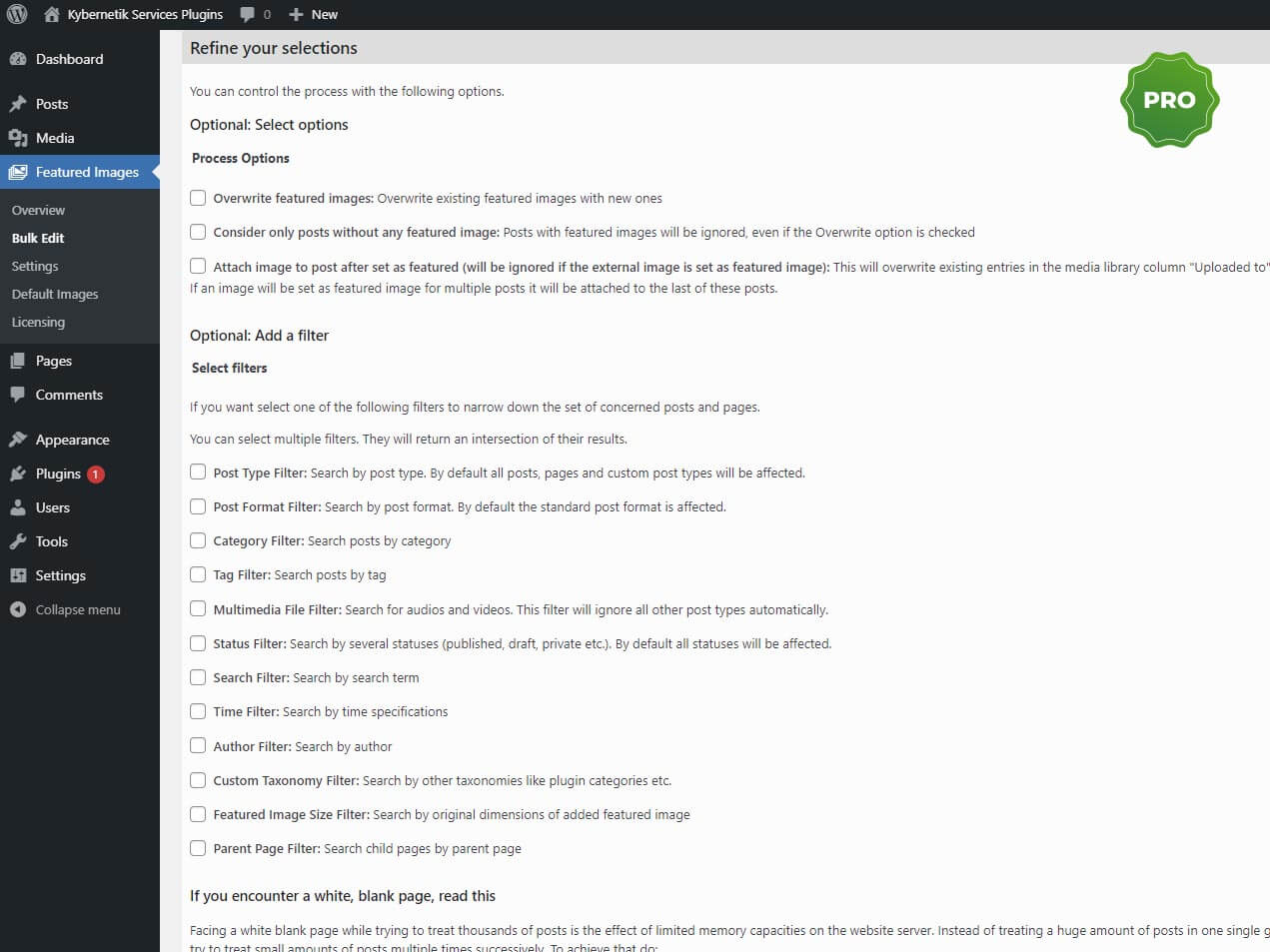
Compare Pro vs. Free
What are the differences between the free version and the Pro version of the plugin? You can see them in the table at a glance.
Check the Features
The Pro version of Quick Featrued Images provides a bunch of additional features. Please check below and convince yourself of the great possibilities.
Actions in Bulk Edit
Feature free pro Sets the selected image as new featured image Sets multiple images randomly as featured images Replaces featured images by the selected image Removes the selected image as featured image Removes any image as featured image Remove all featured images without existing image files Removes database entries of featured images without existing image files Sets the first image as featured image Sets the external image as a featured image (if one of the two free plugins is activated): Featured Image By URL at wordpress.org or Featured Image From URL at wordpress.org )
Options in Bulk Edit
Feature Free Pro Overwrites featured images Considers only posts without featured image Removes the first embedded image from the post content after this image was set as featured image Sets the first post image (if available in the media library) as featured image Sets the first post image under current domain as featured image Sets the first external post image as featured image Sets the first attached image of a post as featured image Sets the first image of a WordPress standard gallery as featured image Sets the thumbnail of the first embedded content (e.g. YouTube, Vimeo, Instagram) as featured image (see list of all supported embed providers at wordpress.org, in a new window ) Sets the first image of a WordPress standard gallery as the featured image Sets the first image of a NextGen Gallery as featured image (if the NextGen plugin (at wordpress.org) is activated) At multiple images: Uses each selected image only once At multiple images: Removes excess featured images Attachs images to posts after set as featured images successfully Detachs images and posts after featured images are removed successfully
Filter in Bulk Edit
Feature Free Pro Post Type Filter Category Filter Tag Filter Post Format Filter Multimedia File Filter Post Status Filter Search Filter Time Filter Author Filter Custom Taxonomy Filter Featured Image Size Filter Parent Page Filter
Supported Post Types in Bulk Edit
Feature Free Pro Posts Pages Custom Post Types Audio Files Video Files
Presets in Bulk Edit
Feature Free Pro Stores all settings of a process as a preset to recall them for recurring tasks
Default Images
Feature Free Pro Overwrites existing featured images Takes first content image as featured image in new posts if image was uploaded to the media library Takes first content image as featured image in new posts if image is on an external server Takes one of multiple images randomly as featured image in new posts Takes the thumbnail of the first embedded content (e.g. YouTube, Vimeo, Instagram) as featured image in new posts Takes the external image as a featured image (if one of the two free plugins is activated): Featured Image By URL at wordpress.org or Featured Image From URL at wordpress.org ) Displays featured images randomly at each page load Removes the first content image automatically after the featured image was set successfully Supports WooCommerce products Exports and imports all rules Imports rules from the free version “Quick Featured Images”
Supported Taxonomies in Default Images
Feature Free Pro Matches a standard WordPress post type (post or page) Matches a selected custom post type Matches a selected category Matches a selected tag Matches a selected author Matches a selected post format Matches a search term in post title
Image Columns
Settings
Feature Free Pro Shows or hides the plugin based on the selected user role ‘Administrator’ or ‘Editor’
Feature Free Pro Supported image formats : jpg, jpeg, jpe, gif, png Supported audio formats : mp3, ogg, wma, m4a, wav Supported video formats : mp4, m4v, webm, ogv, wmv, flv
Bulk Editing of Featured Images
Quick Featured Images Pro is like a Swiss Army Knife for all tasks related to featured images in WordPress.free version in advance. If you don’t want to wait any longer and want to start saving a lot of time today, then order the Pro version of Quick Featured Images directly.